

The same thing often happens right before entry. A visitor searches a crowded inbox, opens a PDF, zooms in on a QR code and hopes the screen is bright enough for the scanner. If the ticket is buried in a mail thread, the queue slows down at exactly the wrong moment.
A wallet ticket removes much of that friction. The pass is already on the phone, in a format designed for quick display and scanning. For visitors it feels simple. For organizers it makes entry calmer, more consistent and more professional.
From PDF to wallet ticket
Moving from PDF to wallet pass is not just a visual upgrade. A PDF is a document. A wallet ticket is a mobile access pass that should not be hidden in downloads, attachments or screenshots.
At an event, the difference is obvious. A visitor with a PDF usually needs to search, open, zoom and hold the screen still. A visitor with a wallet pass opens one card and shows the correct barcode or QR code.
Jaarbeurs explains how tickets can be added to a wallet through email, an app, a website or a QR code, and how this became part of modern Dutch event practice (Jaarbeurs on wallet tickets).
How to add a ticket to Apple Wallet
Most iPhone users are looking for one clear button: Add to Apple Wallet. It usually appears in the confirmation email, in an app or on the ticket page from the issuer.

A practical sequence:
- Open the original ticket email or official ticket page.
- Tap Add to Apple Wallet.
- Check the event name, date, ticket type and any personal details.
- Save the pass immediately in the Wallet app.
- Open the pass on event day before reaching the scanner.
Apple's own support documentation explains that passes are usually added through an email, app or website. If the option is missing, Apple advises contacting the issuer (Apple Support on Wallet).
How Google Wallet works on Android
Google Wallet follows the same basic logic, but delivery can vary. Sometimes there is a clear Add to Wallet button. Sometimes a link or file opens the wallet app. And sometimes the issuer only provides a PDF or mobile ticket page.
The main rule is simple: use the official wallet option first whenever it is available. A barcode screenshot may look convenient, but it is less reliable than a real wallet pass or official ticket page.
AndroidPlanet notes that not every card type or file is supported by Google Wallet in the same way. That makes clear organizer instructions especially important (AndroidPlanet on adding cards to Google Wallet).
If adding the ticket does not work
Most problems are caused by the route the visitor takes, not by the phone itself. Going back to the original ticket email or ticket page often solves the issue.
Check these points:
- Is the wallet button in the original email, not only in a forwarded message?
- Has the ticket already been added to another wallet?
- Is this an individual ticket or an order confirmation with multiple tickets?
- Is the code fully visible, not cropped or shown as an old screenshot?
For visitors who cannot find their ticket, a clear ticket buyer support page is more useful than a long technical explanation.
Why wallet tickets matter for organizers
Wallet tickets are no longer a nice extra for only tech-savvy visitors. They are an operational choice. Organizers who set up the ticket journey well reduce the chance that visitors arrive with awkward files, half-visible codes or old mail attachments.
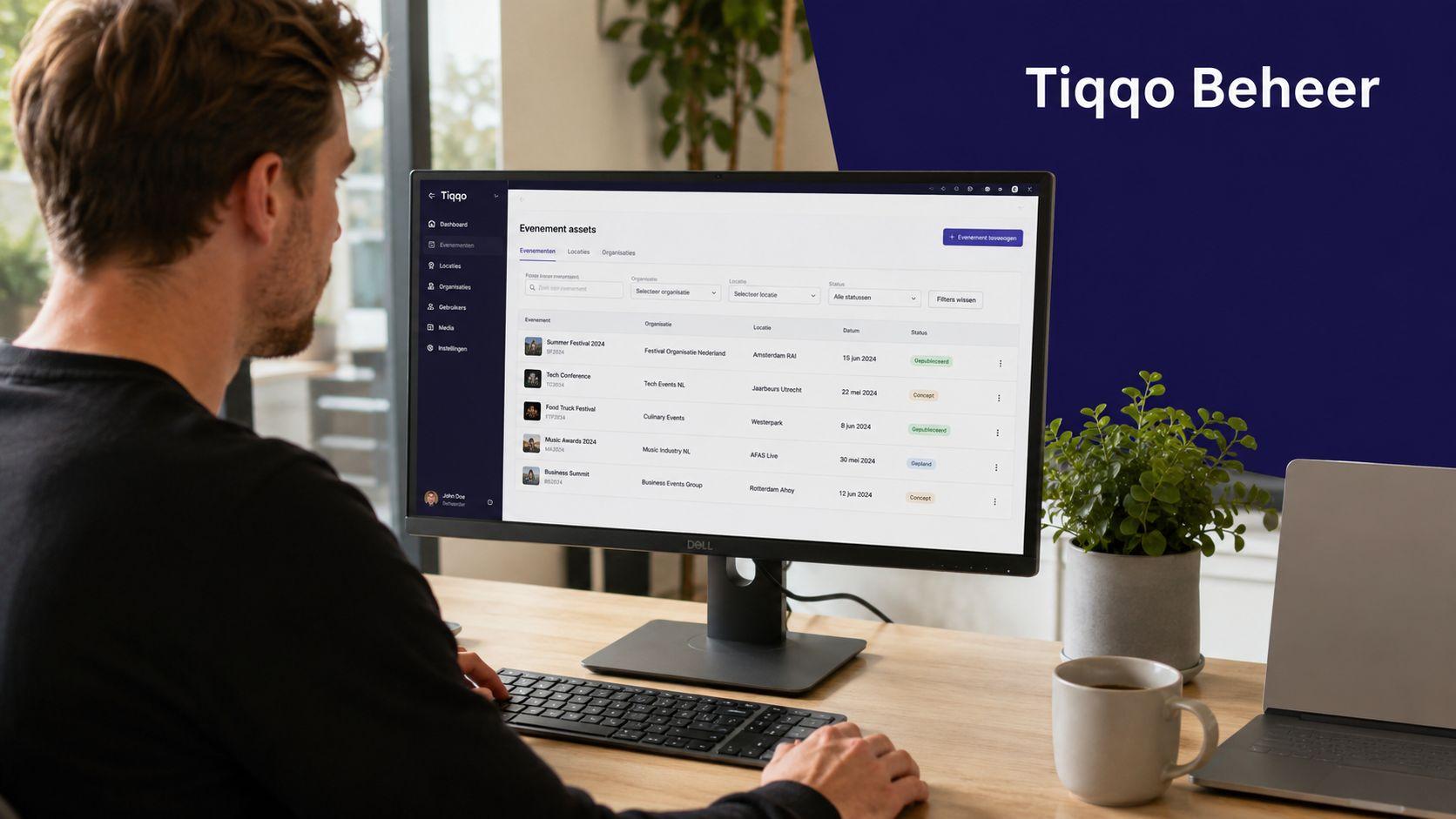
The benefits are mostly felt at entry:
- Faster retrieval: the ticket is in a predictable place on the phone.
- Less interpretation: the pass is meant for direct use at the entrance.
- More professional experience: the ticket feels like a proper mobile access pass.
- Smoother scanning: visitors spend less time searching while the queue moves.
A wallet ticket works best when the communication around it is just as clear as the pass itself. For broader digital journey thinking, articles about WhatsApp conversation flows can help teams design step-by-step visitor guidance.
The foundation of a good wallet experience
A good wallet experience starts before the button. The pass should show what is actually needed at the entrance: event name, date, ticket type, personal details when relevant and a clean scannable code.
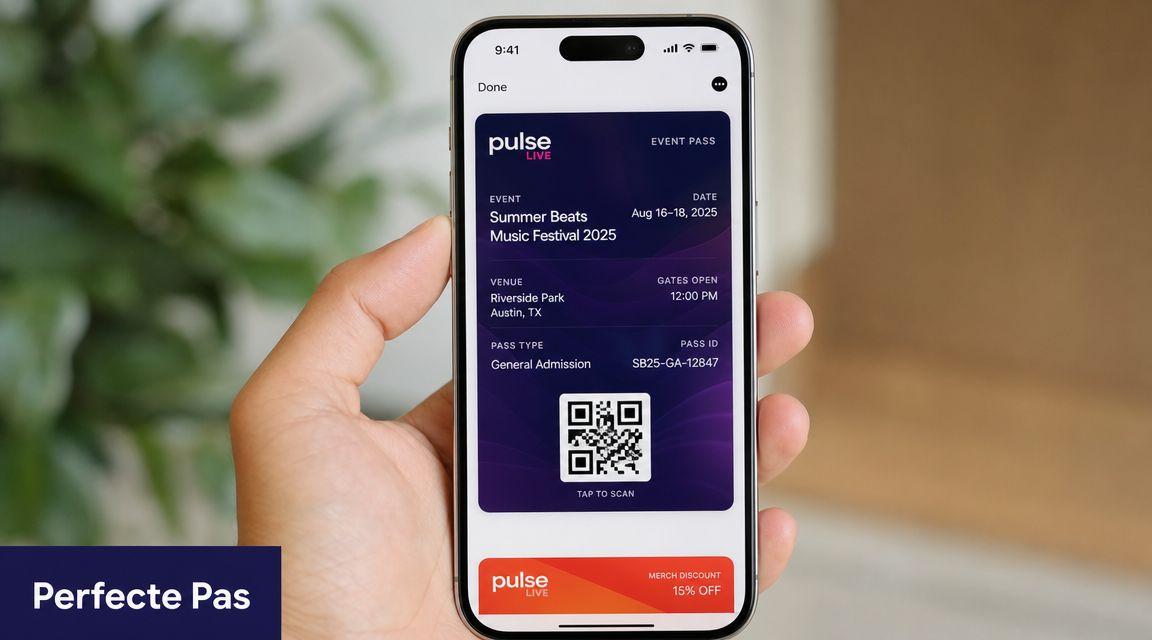
Pay attention to:
- Ticket type: day ticket, pass, session ticket or upgrade each need different information.
- Personalisation: if access is personal, that must be clear before delivery.
- Individual codes: scan the actual access pass, not just the order confirmation.
- Email layout: place the most important ticket action high in the confirmation email.
For personal access, first decide when ticket personalisation should be required. The practical setup is covered in the guide to requiring personalisation per ticket.
Best practices for wallet passes
A working wallet pass is not automatically a good wallet pass. The difference is in details that become visible at the entrance: contrast, short labels, enough space around the code and a clear information hierarchy.
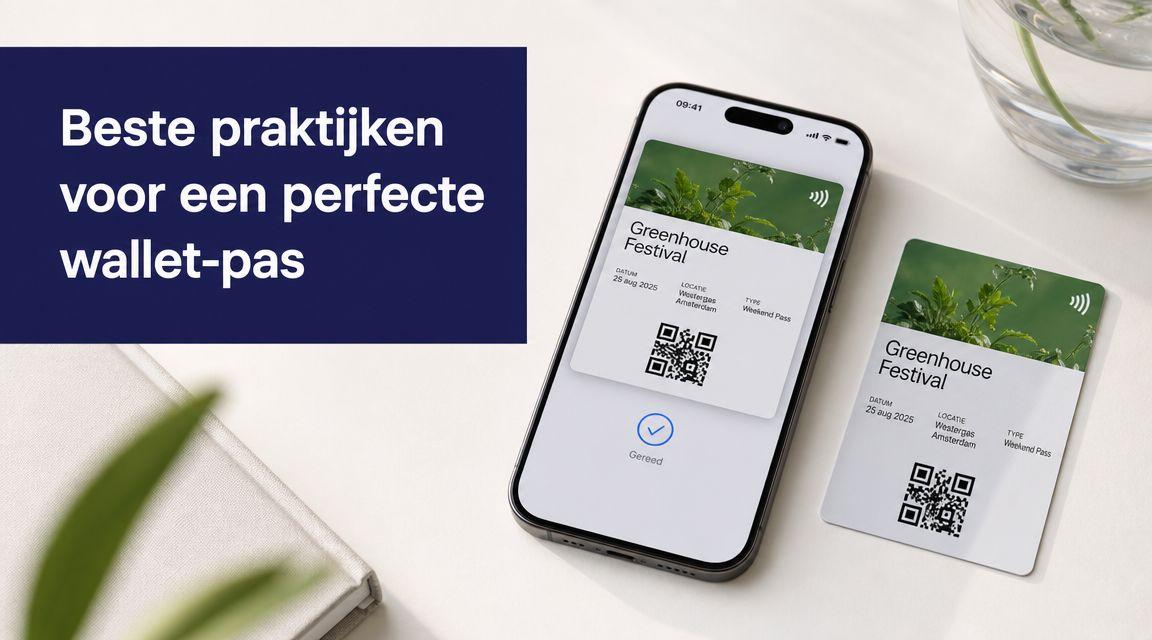
A strong wallet pass:
- puts the most important information first;
- avoids long internal ticket names;
- uses high contrast for text and code;
- is tested on real phones, not only in a design file;
- makes clear which ticket belongs to which visitor.
If you use personal access, include the practical role of ticket personalisation in the pass design. The pass should show which information actually matters at the entrance.
Conclusion
Adding a ticket to wallet looks like a small action, but the effect on event day is large. Visitors find their tickets faster, scanners see a clearer access pass and the team has fewer exceptions to solve.
For organizers, the value sits in the full chain: ticket structure, email communication, support, scanning and analysis. Tiqqo brings ticketing, CRM, communication and access control together so teams can manage that visitor journey in one place.